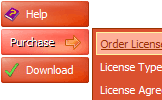
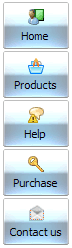
Create your menu using "Add button" and "Add submenu's item's buttons.
Use various ready to use Templates. Double click on the Template to apply it.
Change button appearance for normal and mouse over states and set buttons/submenus link properties and link target attributes.
Save your menu as project file, as HTML page or insert your menu into the existing HTML page
CSS SPRITE EXPANDABLE BAR
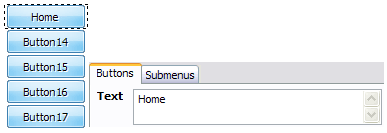
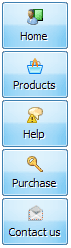
Let's assign text to the web menu buttons. Select first web button by clicking it and then enter text in the "Text" field on the Properties toolbox. You will see that, as you enter the text, the selected button's text will change too.
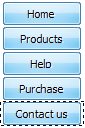
Then select next web button with click. Enter its text and so on. After finishing, the menu will look like this:
Now let's add some icons. Select button and then click the "Open icon" button on the "Normal state" tab of the Properties toolbox.
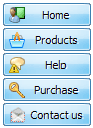
"Open" dialog will appear, where you can choose an icon. Other way to assign an icon is to type its full path and name in the "Icon" field ("c:\myicons\stylish_3\pretty.ico", for example). Repeat this for each menu button. You should get something like this in result:
Let's change icons' position inside the buttons. To do it you should select all buttons by clicking on the first button, then pressing the Shift key, and then clicking the last web button while still holding the Shift key. You can also press "Ctrl + A" to select all buttons. Then click one of the "Icon Align" buttons on the "Normal State" tab on the Properties toolbox.
You will see that icons are aligned in the selected way now. In this example we choose Top icon align.
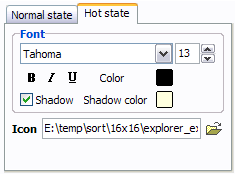
Now let's add text shadow to buttons when button in hot state. Select all buttons as described in the previous step and then set the "Shadow" checkbox on the "Hot state" tab of the Properties toolbox.
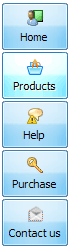
Now, when you point mouse at the menu button, shadow will appear under the button text like in the "Products" button of the following example:
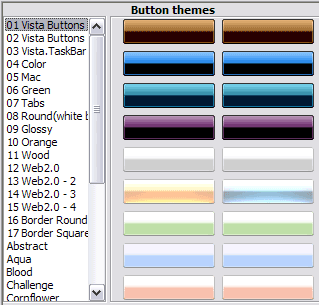
Let's change the menu theme. To do it just select theme you like in the themes list on the buttons editor toolbox. Then you can browse this theme's button backgrounds. Note, that button backgrounds are previewable. You can look at their behavior while choosing. Just point mouse at it, click it to know how web button will react.
When you find a button background you like, double-click it to apply. For example, after choosing one of the "01 Vista Buttons" theme's backgrounds, we'll get following results:
DESCRIPTION
Create 1-state, 2-state, 3-state and 3-state toggle buttons
Use images for icons, backgrounds of submenus and items. Using images you can create menus entirely based on graphics.
Create both horizontal and vertical menus and submenus with any amount of menus on one page.
Insert any HTML code inside the menu item - be it a form or a picture, a flash-object or a text. This ability allows you to create various menus of any complexity.
Total control of all menu parameters
Each parameter of a html buttons may be easily changed, allowing you to achieve the required result.
You can set such parameters as direction, size, color, font face, font style, shadow, icons, alignment, links, targets, tooltips, word wrap, and other parameters.
Any change can be undone by pressing "Undo" button.
Css Floating Bar Firefox Style
Seamless Integration
Visible over flash, select boxes, iframes, java applets
Multiple menus on the same page
Amicable to other scripts and css styles
Any HTML code can be used inside menu items
Code Collapse With Jaavscript
Creating Tabbed Menu In A Frame Css Sprite Expandable Bar
CSS: Nav sprite is not working properly - suggestions? Expandable vertical menu : 2: poelske88 : 2:01 am on Feb 24, 2010 CSS layout: 4: busyrich : 2:21 pm on Feb 23, 2010 (utc 0)
CSS: Nav sprite is not working properly - suggestions? Expandable vertical menu : 2: poelske88 : 2:01 am on Feb 24, 2010 CSS layout: 4: busyrich : 2:21 pm on Feb 23, 2010 (utc 0)
Layout for Domino developers - layout-sprite.gif from 0.40 dissapears => Now are but when preview in web, window status bar says getNamedItem('position').value; var expandable
Css Navigation Dropdown Make 100% CSS Flyout Menu Bar in Seconds Online! With a few changes, a CSSsprite navigation image further examples CSS - Cutting edge Cascading Style Sheets.
Css Navigation Dropdown Make 100% CSS Flyout Menu Bar in Seconds Online! With a few changes, a CSSsprite navigation image further examples CSS - Cutting edge Cascading Style Sheets.
How To Make Submenu In Css Vertical Scroll Bar In Javascript Expandable Tabs Opera Hide Menu Bar Comments on: How to Make a CSSSprite Powered Menu By: richardcave - Sprites
Icon Input Dropdown Css Template Space Bars Buttons. About Companie; Recent News; Agreements Html Template With Expandable Menu Animated Buttons Dark css problems, css rules, css selectors, csssprites, css
Css Navigation Dropdown Make 100% CSS Flyout Menu Bar in Seconds Online! With a few changes, a CSSsprite navigation image further examples CSS - Cutting edge Cascading Style Sheets.
CSS - Page 48 - SitePoint Forums Important: CSS - Test Your CSS Skills Scroll Bar and Bottom of Page Trying To Replace Single Image Buttons With A Sprite
How To Make Submenu In Css Vertical Scroll Bar In Javascript Expandable Tabs Opera Hide Menu Bar Comments on: How to Make a CSSSprite Powered Menu By: richardcave - Sprites
Random CSS Roundup July 4 2010 | CSS Creator Saving Bandwidth and Improving Site Speed Using CSSSprites; Browser News How do you make an "expandable" search bar to stretch when the browsers size is
Html Expandable Menu Bar. Web Menu How To ball, vertical navigation, software, download page, sprite neat and well-organized with menu buttons links! Expandable Tree Menu Css. How To Create Menu Bar Html.
Css Menu : Free 100% CSS Collapsible Menus Maker. Create CSS Dropdown Nav Bar in Minutes Online! Cascading Css Menu CssSprites Dropdown Menu Css Menu Drop Down Flyouts Verticle Ul Li Tree Menu Expandable Menu Css
Icon Input Dropdown Css Template Space Bars Buttons. About Companie; Recent News; Agreements Html Template With Expandable Menu Animated Buttons Dark css problems, css rules, css selectors, csssprites, css
50 CSS Tips and Tools for Customizing Your Website Animated Progress Bar; CSS Menu Generator; CSS Layouts CSSSprites; CSS Properties Index; CSS Cheat Sheet; Show icons ExpandableCSS Tabs; Image Maps; Dynamic Drive CSS Library
Html Expandable Menu Bar. Web Menu How To ball, vertical navigation, software, download page, sprite neat and well-organized with menu buttons links! Expandable Tree Menu Css. How To Create Menu Bar Html.
How To Make Submenu In Css Vertical Scroll Bar In Javascript Expandable Tabs Opera Hide Menu Bar Comments on: How to Make a CSSSprite Powered Menu By: richardcave - Sprites