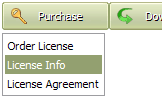
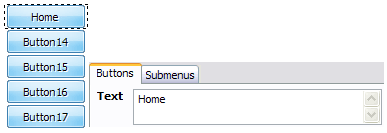
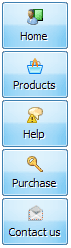
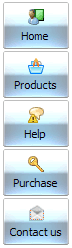
Click "Add button" and "Add submenu's item's buttons to create your menu.
You can use ready to use Templates. To do it just select theme you like in the "Button themes" and "Submenu themes" list. Then you can browse this theme's button backgrounds. When you find a button background or submenu theme you like, double-click it to apply.
Select vista button or submenu by clicking it and change button appearance for normal and mouse over states and set buttons/submenus link properties and link target attributes.
Save your menu as project file, as HTML page or insert your menu into the existing HTML page
TABBED DROP MENU HORIZONTAL
Let's assign text to the web menu buttons. Select first web button by clicking it and then enter text in the "Text" field on the Properties toolbox. You will see that, as you enter the text, the selected button's text will change too.
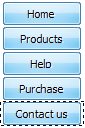
Then select next web button with click. Enter its text and so on. After finishing, the menu will look like this:
Now let's add some icons. Select button and then click the "Open icon" button on the "Normal state" tab of the Properties toolbox.
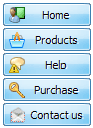
"Open" dialog will appear, where you can choose an icon. Other way to assign an icon is to type its full path and name in the "Icon" field ("c:\myicons\stylish_3\pretty.ico", for example). Repeat this for each menu button. You should get something like this in result:
Let's change icons' position inside the buttons. To do it you should select all buttons by clicking on the first button, then pressing the Shift key, and then clicking the last web button while still holding the Shift key. You can also press "Ctrl + A" to select all buttons. Then click one of the "Icon Align" buttons on the "Normal State" tab on the Properties toolbox.
You will see that icons are aligned in the selected way now. In this example we choose Top icon align.
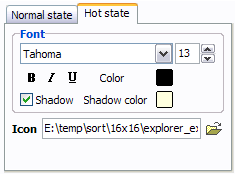
Now let's add text shadow to buttons when button in hot state. Select all buttons as described in the previous step and then set the "Shadow" checkbox on the "Hot state" tab of the Properties toolbox.
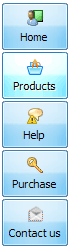
Now, when you point mouse at the menu button, shadow will appear under the button text like in the "Products" button of the following example:
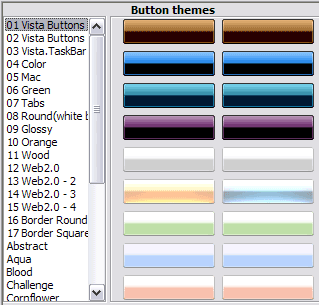
Let's change the menu theme. To do it just select theme you like in the themes list on the buttons editor toolbox. Then you can browse this theme's button backgrounds. Note, that button backgrounds are previewable. You can look at their behavior while choosing. Just point mouse at it, click it to know how web button will react.
When you find a button background you like, double-click it to apply. For example, after choosing one of the "01 Vista Buttons" theme's backgrounds, we'll get following results:
DESCRIPTION
Use images for backgrounds of submenus and items, icons, arrows. Using web images you can create menus completely based on graphics.
Design both horizontal and vertical menus and submenus with any amount of menus on a single page.
Place any HTML code inside the menu item - be it a flash-object, form, picture, or text. This ability lets you to build various menus of any complexity.
Instant preview
Each change of button-menu appearance is instantly displayed in the Preview Window.
At the same time, you will be able to test how the buttons would respond to the mouse events.
Create Menu With Submenus
Fully Customizable
Every button or menu parameter can be easily customized in Drop Down JS Menu to fit your web site design and your needs.
Create your very own html menus, as simple or as complex as you want!
Dropdown Menu In Frameset
Codigo Javascript Y Html Para Crear Menus Tabbed Drop Menu Horizontal
Compatibility
Full cross-browser compatibility including IE, Netscape, Mozilla, Opera, Firefox, Konqueror and Safari on Windows, Mac OS and Linux
Horizontal and Vertical Pure CSS Dropdown Menus. : Spry Tabbed panels: Best practice and beyond: CSS : Drop shadow boxes: Float-less CSS layouts ago, I wrote an article about creating horizontal CSS dropdown menus.
How to center a tabbedhorizontal CSS menu - Savio.no this menu is identical with the fluid version, except that you can drop the menus are presented within this article. See also the article Horizontal and tabbed CSS menu
Cut & Paste 2 level horizontal tab menu Description: A CSS based tab menu that supports a secondary level of menu items. Both levels are horizontal, so there no drop down menus that may become hidden
Horizontal CSS Dropdown Menus This CSS drop down menu has horizontalmenus instead of the more traditional vertical dropdowns [ ] while Ive written tutorials on tabbed navigation bars, dropdown
Drop & Tab Menus - Joomla! Extensions Directory Creates HorizontalDrop Down Menu with horizontal submenus (only). Edit CSS modules/mod_mg_menu/mg_menu.css to customize. Modul is a clone of fynmenu ( http://ifyn.com
Ajatix - Advanced CSS Drop Down Menu examples Create. Horizontal; Vertical; Tabbed; Text-based; Image-based; Hybrid; CSS Drop Down Menus of Advanced CSS Drop Down Menu. You can find more examples of horizontal
Drop & Tab Menus - Joomla! Extensions Directory Creates HorizontalDrop Down Menu with horizontal submenus (only). Edit CSS modules/mod_mg_menu/mg_menu.css to customize. Modul is a clone of fynmenu ( http://ifyn.com
Green TabbedHorizontalMenu. Css Template. Free Download Green TabbedHorizontalMenu. This css navigation template can be Horizontal Transparency Colour Pink MenuDrop Down Tabbed Light Animation Watermark Rating Cascading Css3 Cyan Blog
Green TabbedHorizontalMenu. Css Template. Free Download Green TabbedHorizontalMenu. This css navigation template can be Horizontal Transparency Colour Pink MenuDrop Down Tabbed Light Animation Watermark Rating Cascading Css3 Cyan Blog
Horizontal and Vertical Pure CSS Dropdown Menus. : Spry Tabbed panels: Best practice and beyond: CSS : Drop shadow boxes: Float-less CSS layouts ago, I wrote an article about creating horizontal CSS dropdown menus.
Html Tabbed View. Web Menu How To Html Tabbed View. Javascript Menu Builder. The most powerful Create brilliant web buttons and drop down menus in a the pressed state after a click. Add Horizontal
TabbedHorizontalMenu | Web Layout Web Layout: TabbedHorizontalMenu. Learn how to create tabbedhorizontalmenu. Create a new layer, and using drag and drop technique, move it
Horizontal CSS Menus || CSS Menu Maker Drop Down CSS Menus; Horizontal CSS Menus; Vertical CSS Menus; Premium Menus; Dreamweaver HorizontalMenus: Simple Blue Tabbed
Horizontal and Vertical Pure CSS Dropdown Menus. : Spry Tabbed panels: Best practice and beyond: CSS : Drop shadow boxes: Float-less CSS layouts ago, I wrote an article about creating horizontal CSS dropdown menus.
Horizontal CSS Dropdown Menus This CSS drop down menu has horizontalmenus instead of the more traditional vertical dropdowns [ ] while Ive written tutorials on tabbed navigation bars, dropdown